




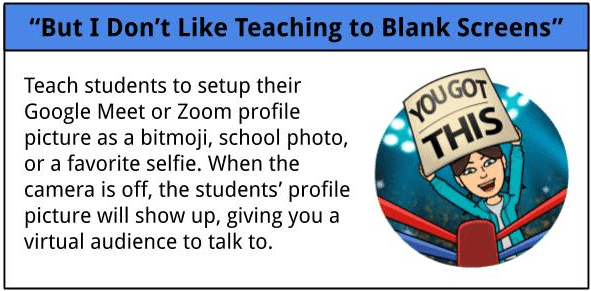
The image above is from an infographic created by Torrey Trust under CC-BY-SA-NC 4.0.
A note about cameras on/off
It can be tempting to ask everyone to have their camera on during an online session, but this isn’t always the best indicator of engagement. There are many valid reasons students may choose to keep their camera off, including confidence and anxiety (Donelan, et al., 2025), connectivity and cultural issues and that it is contrary to trauma-informed pedagogy and having a camera on is not really a proxy for engagement – here are some other ways to engage students that do not require cameras on:
- Use built-in tools like virtual hand-raising, yes/no responses, and emoji reactions. Enable nonverbal feedback in your settings and review these with students early on—don’t assume they know how to use them.
- Use polls to check in. Formal polls work for some; informal quick chat responses work well too (e.g., ask students to share how they’re feeling in one or two words or by sharing an emoji).
- Ask questions frequently and invite students to respond in chat. Pause to allow thinking time – silence is okay!
- Encourage optional audio/video sharing alongside chat responses. If students aren’t comfortable at first, keep encouraging but don’t force participation.
- Use private chat to invite quieter students to share without pressure.
- Many students fear being on-camera because they’re not used to it. Normalise this fear by sharing your own experiences, and offer optional one-on-one or practice sessions to help build confidence, if possible.
- Share stories of overcoming fear and growth to inspire students.
- Try breakout rooms for small-group work or discussions, which can help shy students engage more comfortably.
- Set an engaging tone from the start – skip long introductions and encourage active chat participation. Make the chat the heart of your session and foster a learner-centered atmosphere (Costa, 2020).
- Encourage oral responses selectively – call on students thoughtfully, being mindful some may be shy or in noisy environments.
- Use collaborative tools like annotation features or shared documents (e.g., Google Docs) for active contributions.
- Ask students to use profile pictures when cameras are off to help personalise interactions.
- If recording sessions, consider having unrecorded portions – students often participate more freely and may turn cameras on when not recorded (Bali, 2020).
Giving students choice here is key, while also making sure your attention is not unevenly distributed among students with cameras on and off. Teachers can try this Student Video Equity Assessment tool developed by Autumm Caines (inspired by Torrey Trust’s infographic below) to help them take note of equity in their video conferencing practices.
A note about different video conferencing tools
Institutions differ in which video conferencing tools they offer and which they may restrict.
Most video conferencing tools have similar functionality, but the area that seems most different between tools is the smoothness of the break-out rooms functionality. If you are unable to use Zoom with your classes, here are some alternatives that offer breakout room functionality:
- MIT’s free and open source tool Unhangout (based on Jitsi). Once you and your students have an account, it is pretty straightforward to use. The only limitations are:
- Max 10 people per breakout room. This is good practice, though!
- There is no main room for synchronous conversation, only text chat; but you can do the full-group main room on any other tool you have access to.
- BigBlueButton – open source tool. If you cannot self-host, ask your institution. If you use Canvas it may already be integrated.
- Blackboard Collaborate breakout groups, (article, opens in a new tab)
- How to use Microsoft Teams Breakout Rooms (video, opens in a new tab).
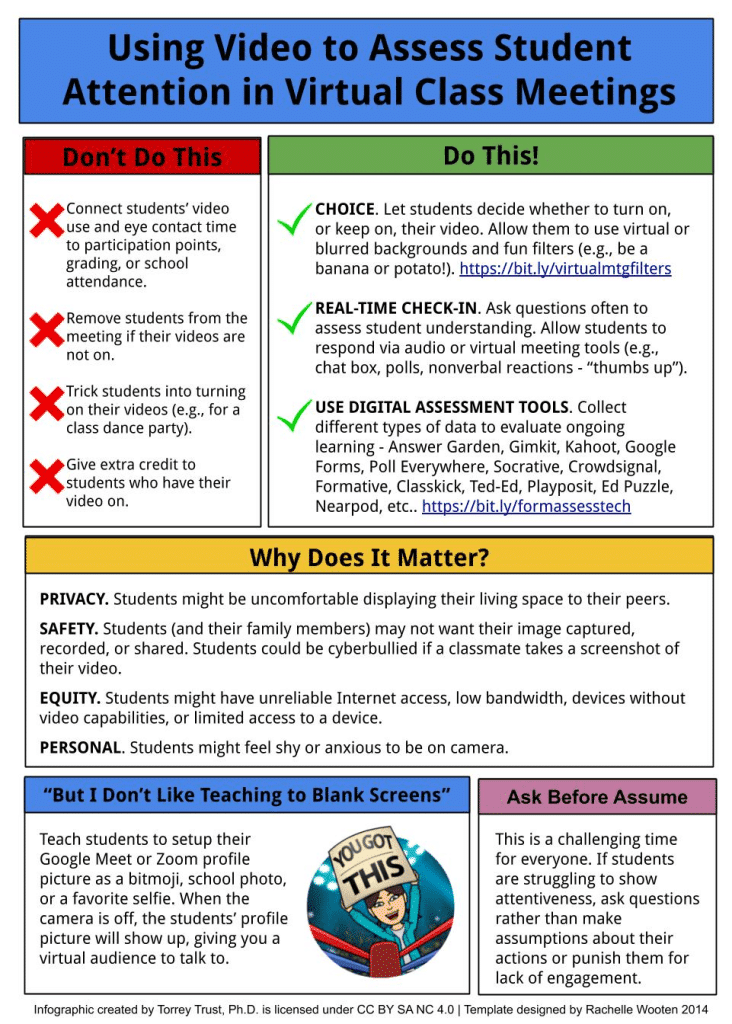
The infographic above is created by Torrey Trust under CC-BY-SA-NC 4.0.
Recommended resources:
- Costa, K. (2020). Making shapes in Zoom. LinkedIn blog post.
- Bali, M. (2020). About that webcam obsession you’re having… Educational Technology.
- Donelan, H., Kear, K., Rosewell, J., Okada, A., Sheehy, K., Amor, K., … Elder, T. (2025). Synchronous online learning: why some students don’t actively participate. Online Learning, 29(3), 311–337.
DISCUSSION
What strategies have you found effective for engaging students during live online sessions, especially when some prefer to keep their cameras off?
Please share your response in the comments section below.